January 21, 2026
Moving day is always a bit of a circus. You’re excited to get into the new place, but there’s that low-level stress humming away in the background, especially when it comes to electronics. I found that out the hard way during my first move, when I thought a blanket was enough protection for a flat-screen TV. It wasn’t.
One cracked screen was enough to teach me that guessing your way through packing isn’t a great idea. I’ve moved a few times since then, and I’m a lot more careful now, mainly because I don’t feel like replacing expensive gear again.

Before you unplug anything, stop and actually look at how much gear you’ve got. Most people forget half of it until they’re hunting for a charger that never made it out of the old place. Go room by room and write everything down, even the bits you think you’ll “remember later”, you won’t.
Take a few quick photos before cables start coming out. The backs of TVs and desks are usually a spaghetti mess, and once it’s unplugged, it all looks the same. When you’re setting things up again and can’t work out why the screen won’t turn on, those photos suddenly become very handy.
As you go, it helps to note things like:
This quick rundown pulls double duty. It keeps your packing organised and gives you a clear reference if something doesn’t arrive in the same condition it left.
Even if you pack carefully, electronics can still cop a knock or just refuse to turn back on. Before moving day, back up anything you’d be upset to lose. Photos, work files, passwords, and saved settings are worth the effort. I back mine up to a hard drive and online, just to be safe. It’s also when I end up finding photos on old phones and bits saved on tablets or consoles that I forgot were even there.
Don’t turn things off and shove them straight into boxes. A lot of gear stays warm well after you’ve shut it down, especially computers and TVs. If you pack it while it’s still warm and then load it into a cooler truck, you’re asking for condensation. I did that once with a laptop and ended up with a keyboard that acted weird for weeks.
If you’ve just been using your console or modem, don’t box it yet. They stay warm longer than you’d think, even when the power’s off. I usually leave mine sitting out until everything else is packed. If it’s still warm when you pick it up, it can wait.
If you’ve still got the original boxes, this is the time to dig them out. Most people get rid of them early because they take up space, but they’re hard to beat when it comes to protection. Those inserts were made to hold the item snug and stop it from shifting around. If you don’t have them anymore, fair enough, most don’t. But for anything pricey, keeping the box tucked away somewhere usually pays off in the long run.
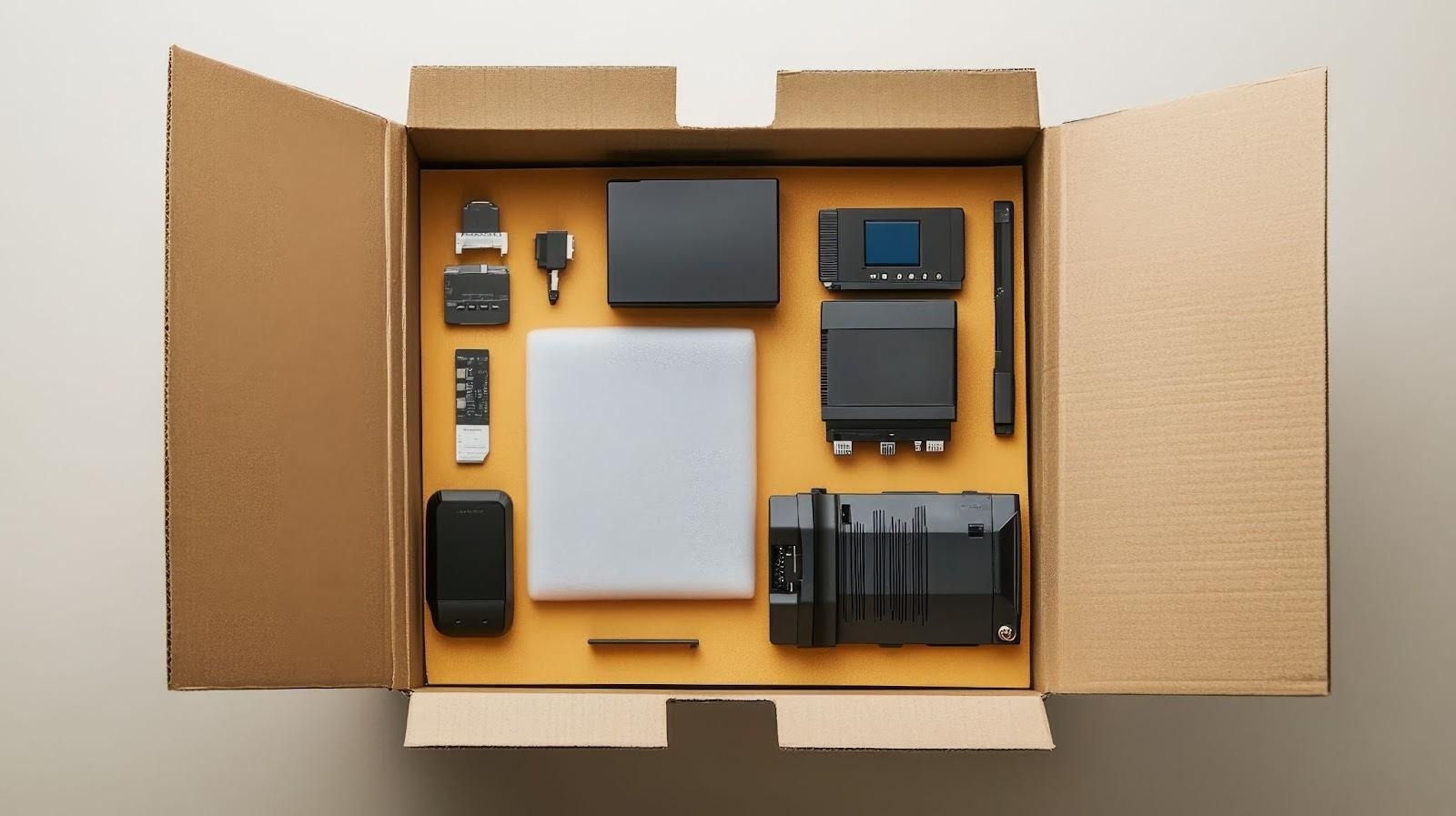
If the original box is long gone, you’ll need to make your own setup. This is the kind of thing experienced packing and moving services do every day, but you can still get good results at home if you slow down and pack with a bit of intention.
I start by putting something soft over the screen, usually a towel or whatever’s nearby. After that, I add a piece of cardboard over the front before wrapping it properly. Screens always go into boxes standing up. Laying them flat is how cracks happen.
I yank the cables out and check the drive because I’ve left a disc in there before. Once it’s boxed, it’s too late. Laptops get wrapped and padded as best I can. Desktop towers usually need more cushioning than expected and should be packed so they can’t tip over during the move.
Discs come out straight away, and controllers get packed on their own. Ports get covered. The console gets wrapped. You're ready and perfect for moving.
Ink comes out first, every time. I’ve seen printers ruined just from ink sloshing around during a move. Once that’s done, I tape anything that can flap or slide and pack it so it can’t shift.
Phones, tablets, cameras, anything that fits in your hand gets wrapped on its own. Then they go into a smaller box together, packed tight enough that nothing can rattle when you shake it.
For anything with a screen, cardboard directly against the display helps prevent pressure cracks. Fill empty spaces with paper or towels so nothing moves during the trip.
Before anything goes in a box, pull out the bits that can come loose. Batteries, cartridges, cords, and add-ons are the first things to cause trouble during a move. I’ve had batteries leak and loose parts rattle around where they shouldn’t.
Remotes, controllers, printers, cameras, and even laptops all have small pieces that are better packed separately. I put those items into labelled zip bags and taped them to the right box. It saves a lot of swearing later when you’re trying to find one charger in a sea of boxes.
Every box with electronics gets written on properly. I use a thick marker and don’t hold back. What’s inside, which room it’s for, and big notes like “fragile” or “this side up” all go on there. Boxes I’ll need straight away get marked so they’re easy to spot. It feels a bit over the top at the time, but it stops heavy stuff from being stacked where it shouldn’t and saves a lot of frustration later.
Electronics get loaded last and come off first. I keep them away from the truck walls and never stack heavy items on top. If it’s really hot or cold, the most expensive stuff goes in the car instead. In the truck, I pad boxes with blankets, pillows, or clothes so they don’t cop every bump on the road.
Electronics usually break when people rush. Most problems happen when everything’s rushed at the last minute. I’ve seen it enough times to know that. If you’re getting help with packing fragile items and electronics, it’s usually because you don’t want to risk messing it up yourself. Butler's Removals & Storage knows how easily small mistakes turn into expensive replacements.
Before you do anything else, create a complete inventory of all your electronic devices. It's also a great idea to take photos of the back of your TV or computer setup so you remember where all the cables go when you set them up again.
Devices like computers, TVs, and gaming consoles can stay warm long after being turned off. Packing them while warm can create condensation inside the box, especially if the moving truck is cool. This moisture can cause serious damage to internal components.
You can create your own secure packaging. Wrap the device in a soft material like a towel, add a layer of cardboard over screens for extra protection, and place it in a sturdy box. Fill all empty spaces with packing paper or bubble wrap to ensure the item cannot move around during transit.
Yes, absolutely. You should remove all detachable parts, including batteries, ink cartridges, and cables. Batteries can leak and cause corrosion, while ink can spill inside a printer. Packing them separately in labelled bags is the safest approach.
Electronics should be the last items you load and the first you unload. This minimises the risk of other, heavier boxes being stacked on top of them. Place them securely away from the truck walls and use blankets or pillows as extra padding to absorb shocks from the road.
The Entrepreneurs Guide to Launching a Fast, Lean and Profitable Online Venture.
This is where the magic happens.